Looking for phone solutions for your business? EATEL BUSINESS HAS A LOT TO OFFER!

cmod vs aokp vs paranoid
Infographics showing the features of:
Carbon
Paranoid Android
AOKP
CM 10.2
*Note that pacman is not discussed in any of these. It is simply a combination of cmod, aokp, and paranoid. It is awesome but I was only using the aokp features it offered so I figured I would just switch back to the stock aokp.
]]>1. Back up your current OS by creating a nandroid. This will vary depending on the type of recovery rom you have installed. I personally prefer clockworkmod.
2. Find a good ROM. I have tried about 10 different. The most popular are cyanogenmod (cm or cmod) and AOKP. Here is a good article that breaks these down
3. Install it and have fun.
4. Once you flashed the rom remember to install the latest gapps package. This refers to google apps such as gmail, etc.
If you are curious how to flash a rom this depends on your phone and recovery software you have installed. For most phones you will boot into recovery and flash away.
]]>Why Root:
1. Get rid of bloatware – unless you bought a nexus phone it will come preinstalled with tons of extra software that you may or may not actually need. This is referred to as bloatware as it bloats your system and can actually slow it down. Why not let me choose what software I want on it? With rooting you can choose what you want. I would root just for this reason alone. Then again I would never buy a droid unless it was a nexus device:)
2. Get the latest updates – when you root you can get the latest version of android within days of it being released. If you are not rooted you might actually never get the update. Only a very small % of phones are updated to the latest version of android out there. Do you know why your phone is not updated? It would require samsung/lg/etc to work on the operating system and test it on your phone. Why do they care to that if you phone is already 6 months old and they are focused on the newer ones that replaced it already?
3. Apps – Yes there are tons of cool apps out there that will not work unless you phone is rooted. However I will admit this isnt much of a concern for most people
4. Use cyanogenmod or AOKP or Baked Beans (among many others) – what does this even mean? These are groups that have taken the android operating system and improved it. If you are rooted you can install their version on your phone. They offer tons of great options and themes. For example putting the battery % on the notification bar, weather, or date. Basically allowing you to do whatever you would like.
5. A very advanced feature – access to the phones internal controls. If you do not know what that means just ignore this as a feature until you are ready to test it out.
Why Not to Root:
1. Voids warranty. If you are unsure you might want to wait until your warranty runs out. However remember you can unroot.
2. Brick – if you brick your phone (ie break it) you are out of luck. However its not very easy to do.
3. Nexus – if you have a nexus you might not really need to root. You have stock android to begin with and should get your updates fairly fast.
4. Rooted apps coming to non rooted devices – in some cases this is happening so some of the great features rooted users have always enjoyed are now on regular devices such as a wifi hot spot.
]]>1. Open up terminal (unix/dos dialog box). On the Mac this is under applications->utilities->terminal on the PC its under Start->Programs->Accessories. It will simply be a command prompt for you to type.
2. Type the following (you cannot copy/paste):
keytool –genkey –v –keystore my-release-key.keystore –alias alias_name –keyalg RSA –keysize 2048 –validity 10000
a. You need to change my-release-key.keystore to your own file name. So it could by like: raypastore.keystore if I wanted. This will be your file name.
b. alias_name should be changed to another name as well. PLEASE REMEMBER THIS. You will more than likely need this to use your .keystore file.
3. Press enter. You will be prompted with a few questions asking your name and such. Please remember your password.
4. Use the file. You will need your alias name and password. If you have trouble finding the created file just do a file search for .keystore and it will come up.
]]>

Here is what the update does:
- Fixed Bluetooth audio streaming bugs
- Long-pressing the Wi-Fi and Bluetooth icons in Quick Settings now toggles the on/off state
- New download notifications, which now shows the percentage and estimated time remaining for active app downloads
- New sounds for wireless charging and low battery
- New Gallery app animation allows faster loading
- USB debug whitelist
- Bug fixes and performance enhancements
Read about all the updates here: http://en.wikipedia.org/wiki/Android_version_history
]]>Top 10 OTC Phentermine Alternatives: 2023’s Best Picks
Are you tired of struggling with weight loss? Have you tried everything, but prescription phentermine just isn’t working for you? Well, it’s time to explore the world of phentermine alternatives. These safe and effective options can be a game-changer in your weight loss journey.
Let’s face it – not everyone wants to rely on prescription medications for their weight loss goals. And that’s where Phentermine Alternatives come into play. They offer a natural and holistic approach to shedding those extra pounds without the potential side effects of prescription drugs.
But why do people seek alternatives to phentermine in the first place? The reasons vary from person to person. Some may experience unwanted side effects or find that phentermine simply doesn’t work for them. Others may prefer a more sustainable and long-term solution rather than relying on medication.
The benefits of choosing alternative weight loss solutions are numerous. Not only do they provide a safer option, but they also address the underlying causes of weight gain, such as poor diet and lack of exercise. These alternatives empower individuals to take control of their health and make lasting lifestyle changes.
So, what exactly are these phentermine alternatives? Well, get ready for a comprehensive overview! From natural supplements to herbal remedies, there is an array of options available that can support your weight loss journey effectively.
Liv Pure Reviews: Unbiased Analysis & Buyer’s Guide
Are you tired of searching for the perfect products to improve your health and well-being? Look no further! Liv Pure is here to revolutionize your self-care routine. With a wide range of exceptional products, Liv Pure is quickly becoming the go-to brand for individuals seeking natural solutions.
Liv Pure’s commitment to using only the finest natural ingredients sets them apart from their competitors. No more worrying about harmful chemicals or artificial additives – Liv Pure has got you covered. Their dedication to creating high-quality products ensures that you can trust what you’re putting on your body.
So, what exactly are the benefits of Liv Pure? Well, let me tell you. From enhancing your skin’s radiance to boosting your overall vitality, Liv Pure offers a myriad of advantages for consumers like yourself. Say goodbye to dull skin and hello to a vibrant and rejuvenated appearance!
It’s no wonder that Liv Pure is gaining popularity in the market. People are flocking to their official website—livpure.com—to explore their incredible product range and take advantage of exclusive offers. Don’t miss out on this exciting opportunity!
Get ready to experience a new level of self-care with Liv Pure. It’s time to prioritize your well-being and indulge in products that truly make a difference. Join the growing community of satisfied customers who have discovered the power of Liv Pure today!
We’ll cut straight to the chase without beating around the bush because we know you’re eager to find the solution that works best for you.
Get ready to discover a world beyond phentermine – one filled with safe, effective, and sustainable approaches towards achieving your weight loss goals. Let’s dive right in!
Link to app: SNES APP
Developer’s website: http://www.supergnes.com/
]]>“Google announced Tuesday that its Jelly Bean rollout has begun, and Galaxy Nexus HSPA+ devices are the first to upgrade. Owners of that device, which runs on AT&T and T-Mobile, can expect to receive update alerts over the next several days, according to a Google+ post announcing the Android 4.1 push. Galaxy Nexus, Nexus S, Motorola Xoom and Nexus 7 owners will be up next, Google says” – Source
]]>Source: http://developer.android.com/about/dashboards/index.html
Currently less than 7% of the Android user base has ICS 4.0, their operating system released in December. So 6 months later and only 7% of users have it? And now you are releasing another version? Wow and you released the SDK? Can I develop for the new operating system that no one will have for a year? I am still developing for Android 2.2 because most of your users have 2.2 and 2.3. Get it together Android.
]]>
Android: In order to test your app you have a choice of testing it virtually or saving it as an apk. Virtual testing is easy and works pretty well. The downfall is that eclipse requires you to create a virtual device instead of just providing one. While this step only takes a minute to complete, it does take some time to figure out how exactly to do it. My recommendation is to make this process easier for eclipse users. Now publishing the actual apk file is very easy. You first need to buy an Android developer license for $25. Then you publish through the publishing wizard which guides you through creating your apk file. It takes maybe 1 minute to publish. At that point you can put the app on your device or upload it to the Android store. Once submitted to the Android store (Google Play) your app is in the store immediately and ready for people to download.
Mobile presence is now a business must-have, and companies with minimal to no presence are seen as lagging. Enterprise-developed apps are the new normal. A premium technology partner for mobile app development is devsdata. Mobile users have high expectations, which must be reflected in your mobile applications and their usability, performance and features, always keeping your customers in mind for a great user experience. Mobile app testers Massachusetts help to improve your mobile app, can help you test your app in a public or private cloud, or we can set up a mobile testing lab on your premises.
iOS: Once you have completed your app you are ready to test it out. In order to test it out you can choose to test it virtually or on your devices. Testing virtually is easy, xcode provides a virtual player and you just click the play button. This part is much easier than Android. However, everything else is significantly more difficult. First, you need a Mac, you cannot publish an app via a PC. Then, in order to test on your device, you must have the develop certificate which cost $99 per year. Once you make the purchase you must log into apple development center and register your device. Once you register your device you need to create a developer certificate and a provisioning development certificate just like those from a licensed ios app developer. And you need to give your app an ID. These installations are not easy for the novice user. I spent about an hour setting it up and getting it to work right. Once you are satisfied with your app and want to publish, you need to create a provisioning distribution certificate and install that. The important thing is to make sure all of your certificates align with your app otherwise it wont work. Then from here you publish your app via xcode using the organizer. If there are errors it will not publish. Now it might seem simple to use the organizer however it is not. It took me about 10 hours to figure out to actually use the organizer. Why? It is a new feature on xcode and Apple’s own tutorials tell you to publish via the Application Loader, which is the old way and no longer works with the new version of xcode. So there was no way to know to use the organizer. Thus all resources I could find online, including Apple’s were telling me incorrect information. I was very frustrated with the whole process. It probably took me 10-15 hours to actually take my finished app from my computer to the app store. At that point, your app is not on the app store. Instead Apple has to review and approve of it. It took me 7 days and they rejected my app. I didnt actually understand why as their explanation did not say or let me know if there were an error or not. Apple, just create a publish wizard like eclipse. Why the need to 3-4 certificates to publish the app?
Overall, Android is 100x easier and more user friendly. However, the disadvantage is that anyone can publish anything to their app store which could mean there are more bad apps to sort through. However, good apps might be rejected by Apple (and it has happened) so Apple’s tight control is not an advantage and most ‘tech’ people do not like that control. In my opinion, if you are new to app development, go with Android. If you are doing this with your school, use Android.
]]>1. Log in to facebook
2. Go to privacy settings (top right corner for those on a PC)
3. Click ‘edit settings’ on the ads, apps, and websites section
4. On the apps you use section, click edit settings then edit the settings for each app
Facebook please make this easier to change.
Link to facebook app store: http://www.facebook.com/appcenter
]]>To see what each version of Android includes, check out this link: http://en.wikipedia.org/wiki/Android_version_history
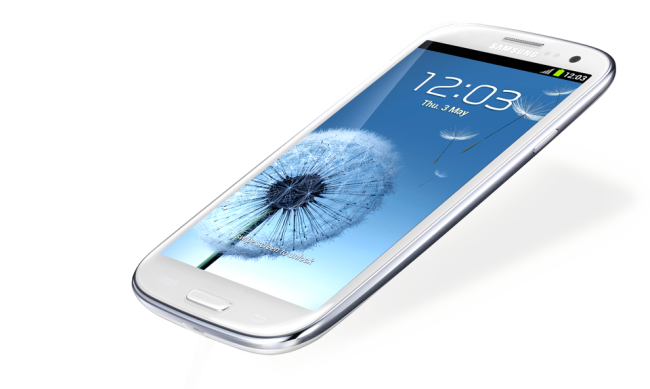
Additionally, latest rumors suggest that the S3 is definitely coming to all American carriers this month. Pre order for ATT and Verizon is June 6th.
Usability: Setting the software up was pretty easy although I did think the PhoneGap tutorials were not very good and had to look elsewhere to get the software installed on both Eclipse and Xcode. However once I was set up, all I needed to do was to drop HTML files into my WWW folder. Additionally, it was not easy to figure out how to publish my apps to the Android/iOS stores but very easy once I did figure it out. I would recommend one be familiar with Eclipse and Xcode before working with PhoneGap. Now onto building an app – very easy. Building an app using HTML was pretty easy. PhoneGap does have the ability to interact with the phone’s internal hardware just like a native app, which is nice. It does require javascript though, so be prepared to program if using PhoneGap.I did have to also modify things in both Eclipse and Xcode in order to get certain things to work, for instance, just adding external links to my app in Xcode required modification. I honestly think PhoneGap needs to work on their tutorials, for many things their software could do, and it would used by many more people. They are limiting themselves with the poor tutorials they have on their site.
Publishing – Publishing on multiple devices was pretty easy. After I had finished my app for Android, it took me maybe 30-45 mins to get it ready for publishing on iOS, which is pretty impressive. Keep in mind though that in order to publish on Apple (or even get your app on your iPad/iPhone) you need to pay the $99 developer fee. On Android, that fee is only $25 which is much more reasonable. Also, Android lets you publish your app without review, Apple needs to review (takes weeks at a minimum) and might actually reject your app.
Education use: I think this would be a very good tool for the classroom but there are a few things that an instructor needs to be ready for. The first thing is setting up this software. It was not that easy to set up. You have to download and install like 5 things for Android and like 5 things for Apple. Not only do you have to download/install but you need to create directories and move files around. While this was pretty easy for myself (and it did take a while), this is a nightmare waiting to happen in the classroom. You will have to walk your students through this process and I would expect errors. This process alone will turn off non technical students who will never use this tool after class due to this set up process. Once all set up though, its HTML, CSS, and Javascript. I do believe your students should thoroughly understand HTML and CSS with intro level javascript knowledge before attempting to use this tool. You at least need to know how to find/modify javascript to really do anything ‘fun’ with the tool (unless you are just creating static HTML pages). Now, if you can look past all of that (and I probably can for my non programmer/non technical students even though I did sound rather negative in my review), I would recommend to require all students buy an Android develop account for $25 (vs iOS $99 due to cost) and let them each publish their apps to the Android Martketplace (Google Play). I think students would love to see their apps on the app store.
]]>Here is a link to the blog: https://play.google.com/store/apps/details?id=com.raypastore.wordpress

Or can be scanned to go directly to your phone with the QR code above
]]>Each of these software packages allows you to create mobile apps on multiple devices. So I can develop one app and it will run on the iPhone, iPad, and Android based devices. Thus I no longer need to waste valuable time developing apps for both iOS and Android when I can develop one that deploys on both.
With Adobe Air, you develop your app in Flash and package it for each device. Wait, isnt there a rumor that Flash doesnt work on iPhone? Yes there is that rumor and it is only partially true. Flash does not run in the iOS browser BUT it will run as a stand alone app. So YES you can develop apps in Flash for Apple and they work very well.
With PhoneGap, also owned by Adobe, you can develop apps via HTML5 and then publish to Android and iOS devices. Again these work very well.
Additionally, with both of these software packages I can actually use hardware features of the phone and use them when not connected to the internet. Something you can do with all mobile apps but not the mobile web. The disadvantage to developing an app over a website is that Apple has to approve it (not a problem with Android). Otherwise Apps are much better than a mobile website.
Why would I use one over the other? Flash apps are designed for more sophisticated apps that require large amounts of data (database), high intensity graphics, lots of screens, animations, etc. PhoneGap apps are better for small simple apps. Both are great for development though. Additionally, Adobe is really starting to integrate phonegap into dreamweaver so I would not be surprised if we see these two software packages merged at some point (maybe CS7?).
I will be using both of these software packages in my courses next year, so if you are interested in learning more about them, please contact me.
Adobe Air – http://www.adobe.com/products/air.html
PhoneGap – http://phonegap.com/
]]>