Here is the Android documentation on Jellybean that provides all the info on the new operating system: http://www.android.com/about/jelly-bean/
Tag Archives: android
Google’s new android OS Jellybean being released into the wild
I am excited as my galaxy nexus will be one of the first phones updated. Here is the latest on the rollout:
“Google announced Tuesday that its Jelly Bean rollout has begun, and Galaxy Nexus HSPA+ devices are the first to upgrade. Owners of that device, which runs on AT&T and T-Mobile, can expect to receive update alerts over the next several days, according to a Google+ post announcing the Android 4.1 push. Galaxy Nexus, Nexus S, Motorola Xoom and Nexus 7 owners will be up next, Google says” – Source
Multiplication game app now on Android
My multiplication game app is now available on Android. Will be on Apple soon:
Android you are confusing me and everyone else….
Why, why, why do none of your phones have your latest operating systems? While its awesome that you keep upgrading your OS and just released Jellybean yesterday, its kind of pointless since no one will ever get it until its 1-2 years old. I mean look at the current distribution:
Source: http://developer.android.com/about/dashboards/index.html
Currently less than 7% of the Android user base has ICS 4.0, their operating system released in December. So 6 months later and only 7% of users have it? And now you are releasing another version? Wow and you released the SDK? Can I develop for the new operating system that no one will have for a year? I am still developing for Android 2.2 because most of your users have 2.2 and 2.3. Get it together Android.
Testing and Publishing your app on iOS vs Android
Well I have now published on both several times and here are my thoughts:
Android: In order to test your app you have a choice of testing it virtually or saving it as an apk. Virtual testing is easy and works pretty well. The downfall is that eclipse requires you to create a virtual device instead of just providing one. While this step only takes a minute to complete, it does take some time to figure out how exactly to do it. My recommendation is to make this process easier for eclipse users. Now publishing the actual apk file is very easy. You first need to buy an Android developer license for $25. Then you publish through the publishing wizard which guides you through creating your apk file. It takes maybe 1 minute to publish. At that point you can put the app on your device or upload it to the Android store. Once submitted to the Android store (Google Play) your app is in the store immediately and ready for people to download.
Mobile presence is now a business must-have, and companies with minimal to no presence are seen as lagging. Enterprise-developed apps are the new normal. A premium technology partner for mobile app development is devsdata. Mobile users have high expectations, which must be reflected in your mobile applications and their usability, performance and features, always keeping your customers in mind for a great user experience. Mobile app testers Massachusetts help to improve your mobile app, can help you test your app in a public or private cloud, or we can set up a mobile testing lab on your premises.
iOS: Once you have completed your app you are ready to test it out. In order to test it out you can choose to test it virtually or on your devices. Testing virtually is easy, xcode provides a virtual player and you just click the play button. This part is much easier than Android. However, everything else is significantly more difficult. First, you need a Mac, you cannot publish an app via a PC. Then, in order to test on your device, you must have the develop certificate which cost $99 per year. Once you make the purchase you must log into apple development center and register your device. Once you register your device you need to create a developer certificate and a provisioning development certificate just like those from a licensed ios app developer. And you need to give your app an ID. These installations are not easy for the novice user. I spent about an hour setting it up and getting it to work right. Once you are satisfied with your app and want to publish, you need to create a provisioning distribution certificate and install that. The important thing is to make sure all of your certificates align with your app otherwise it wont work. Then from here you publish your app via xcode using the organizer. If there are errors it will not publish. Now it might seem simple to use the organizer however it is not. It took me about 10 hours to figure out to actually use the organizer. Why? It is a new feature on xcode and Apple’s own tutorials tell you to publish via the Application Loader, which is the old way and no longer works with the new version of xcode. So there was no way to know to use the organizer. Thus all resources I could find online, including Apple’s were telling me incorrect information. I was very frustrated with the whole process. It probably took me 10-15 hours to actually take my finished app from my computer to the app store. At that point, your app is not on the app store. Instead Apple has to review and approve of it. It took me 7 days and they rejected my app. I didnt actually understand why as their explanation did not say or let me know if there were an error or not. Apple, just create a publish wizard like eclipse. Why the need to 3-4 certificates to publish the app?
Overall, Android is 100x easier and more user friendly. However, the disadvantage is that anyone can publish anything to their app store which could mean there are more bad apps to sort through. However, good apps might be rejected by Apple (and it has happened) so Apple’s tight control is not an advantage and most ‘tech’ people do not like that control. In my opinion, if you are new to app development, go with Android. If you are doing this with your school, use Android.
Facebook Launches App Store: Major Privacy Concern!!!!!
Well facebook has launched their app store for Android and Apple iOS users. So you can now download apps via their store but there is one issue: Facebook automatically tells me what apps my friends have and recommends apps to me based on their apps. Do they want me to know which apps they have? It tells me specifically who has what app. In my opinion this is kinda like someone looking at my browsing history because it actually is telling me what sites my friends used. For instance, it is telling me who has used match.com. I do not like this and I do NOT know how to stop it. Here is how to manage which apps can interact with facebook but this still doesnt solve the problem (actually it might, I just do not know for sure). If anyone knows how to prevent please let me know.
1. Log in to facebook
2. Go to privacy settings (top right corner for those on a PC)
3. Click ‘edit settings’ on the ads, apps, and websites section
4. On the apps you use section, click edit settings then edit the settings for each app
Facebook please make this easier to change.
Link to facebook app store: http://www.facebook.com/appcenter
Android ICS 4.04 and Samsung S3
Just two things I wanted to post concerning Android. Well I finally was updated to Android 4.04 today from 4.02. I cannot believe my phone is one of the only phones with ICS on it. According to Google, only around 7% of their users have ICS: http://developer.android.com/resources/dashboard/platform-versions.html
To see what each version of Android includes, check out this link: http://en.wikipedia.org/wiki/Android_version_history
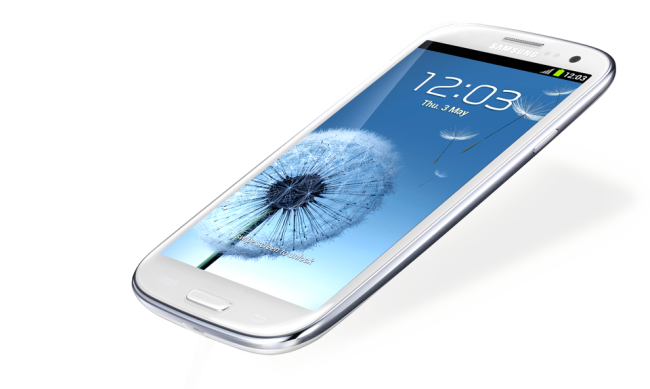
Additionally, latest rumors suggest that the S3 is definitely coming to all American carriers this month. Pre order for ATT and Verizon is June 6th.
PhoneGap: Building an app and classroom use
Well I have built my first mobile app using PhoneGap. Here are my thoughts:
Usability: Setting the software up was pretty easy although I did think the PhoneGap tutorials were not very good and had to look elsewhere to get the software installed on both Eclipse and Xcode. However once I was set up, all I needed to do was to drop HTML files into my WWW folder. Additionally, it was not easy to figure out how to publish my apps to the Android/iOS stores but very easy once I did figure it out. I would recommend one be familiar with Eclipse and Xcode before working with PhoneGap. Now onto building an app – very easy. Building an app using HTML was pretty easy. PhoneGap does have the ability to interact with the phone’s internal hardware just like a native app, which is nice. It does require javascript though, so be prepared to program if using PhoneGap.I did have to also modify things in both Eclipse and Xcode in order to get certain things to work, for instance, just adding external links to my app in Xcode required modification. I honestly think PhoneGap needs to work on their tutorials, for many things their software could do, and it would used by many more people. They are limiting themselves with the poor tutorials they have on their site.
Publishing – Publishing on multiple devices was pretty easy. After I had finished my app for Android, it took me maybe 30-45 mins to get it ready for publishing on iOS, which is pretty impressive. Keep in mind though that in order to publish on Apple (or even get your app on your iPad/iPhone) you need to pay the $99 developer fee. On Android, that fee is only $25 which is much more reasonable. Also, Android lets you publish your app without review, Apple needs to review (takes weeks at a minimum) and might actually reject your app.
Education use: I think this would be a very good tool for the classroom but there are a few things that an instructor needs to be ready for. The first thing is setting up this software. It was not that easy to set up. You have to download and install like 5 things for Android and like 5 things for Apple. Not only do you have to download/install but you need to create directories and move files around. While this was pretty easy for myself (and it did take a while), this is a nightmare waiting to happen in the classroom. You will have to walk your students through this process and I would expect errors. This process alone will turn off non technical students who will never use this tool after class due to this set up process. Once all set up though, its HTML, CSS, and Javascript. I do believe your students should thoroughly understand HTML and CSS with intro level javascript knowledge before attempting to use this tool. You at least need to know how to find/modify javascript to really do anything ‘fun’ with the tool (unless you are just creating static HTML pages). Now, if you can look past all of that (and I probably can for my non programmer/non technical students even though I did sound rather negative in my review), I would recommend to require all students buy an Android develop account for $25 (vs iOS $99 due to cost) and let them each publish their apps to the Android Martketplace (Google Play). I think students would love to see their apps on the app store.
Android App for my blog now available in the Google Play store
I created this app via PhoneGap. It was my first experience with the tool so check out the app and let me know what you think. It’s essentially just an RSS of my blog. I am pulling the RSS via Google API code.
Here is a link to the blog: https://play.google.com/store/apps/details?id=com.raypastore.wordpress

Or can be scanned to go directly to your phone with the QR code above
Has Adobe won the mobile war? I think so…
There is so much misinformation out there it is ridiculous. I hear so many rumors from non-developers about mobile development and the funny thing is, most of them have never developed an app. So why has Adobe won? Two software packages – Adobe Air and PhoneGap.
Each of these software packages allows you to create mobile apps on multiple devices. So I can develop one app and it will run on the iPhone, iPad, and Android based devices. Thus I no longer need to waste valuable time developing apps for both iOS and Android when I can develop one that deploys on both.
With Adobe Air, you develop your app in Flash and package it for each device. Wait, isnt there a rumor that Flash doesnt work on iPhone? Yes there is that rumor and it is only partially true. Flash does not run in the iOS browser BUT it will run as a stand alone app. So YES you can develop apps in Flash for Apple and they work very well.
With PhoneGap, also owned by Adobe, you can develop apps via HTML5 and then publish to Android and iOS devices. Again these work very well.
Additionally, with both of these software packages I can actually use hardware features of the phone and use them when not connected to the internet. Something you can do with all mobile apps but not the mobile web. The disadvantage to developing an app over a website is that Apple has to approve it (not a problem with Android). Otherwise Apps are much better than a mobile website.
Why would I use one over the other? Flash apps are designed for more sophisticated apps that require large amounts of data (database), high intensity graphics, lots of screens, animations, etc. PhoneGap apps are better for small simple apps. Both are great for development though. Additionally, Adobe is really starting to integrate phonegap into dreamweaver so I would not be surprised if we see these two software packages merged at some point (maybe CS7?).
I will be using both of these software packages in my courses next year, so if you are interested in learning more about them, please contact me.
Adobe Air – http://www.adobe.com/products/air.html
PhoneGap – http://phonegap.com/